

Vulnerability management
Overview
The Findings page is where you review, search, and manage all security findings detected across your environment. It helps you quickly understand what needs attention, prioritize risks, and track remediation status.
Search and filter findings
Use the search field to quickly find specific findings by name, id, or CVE.
Apply filters to narrow results based on different attributes such as where the finding was detected, its severity or priority, and its current status, so you can focus on what matters most.
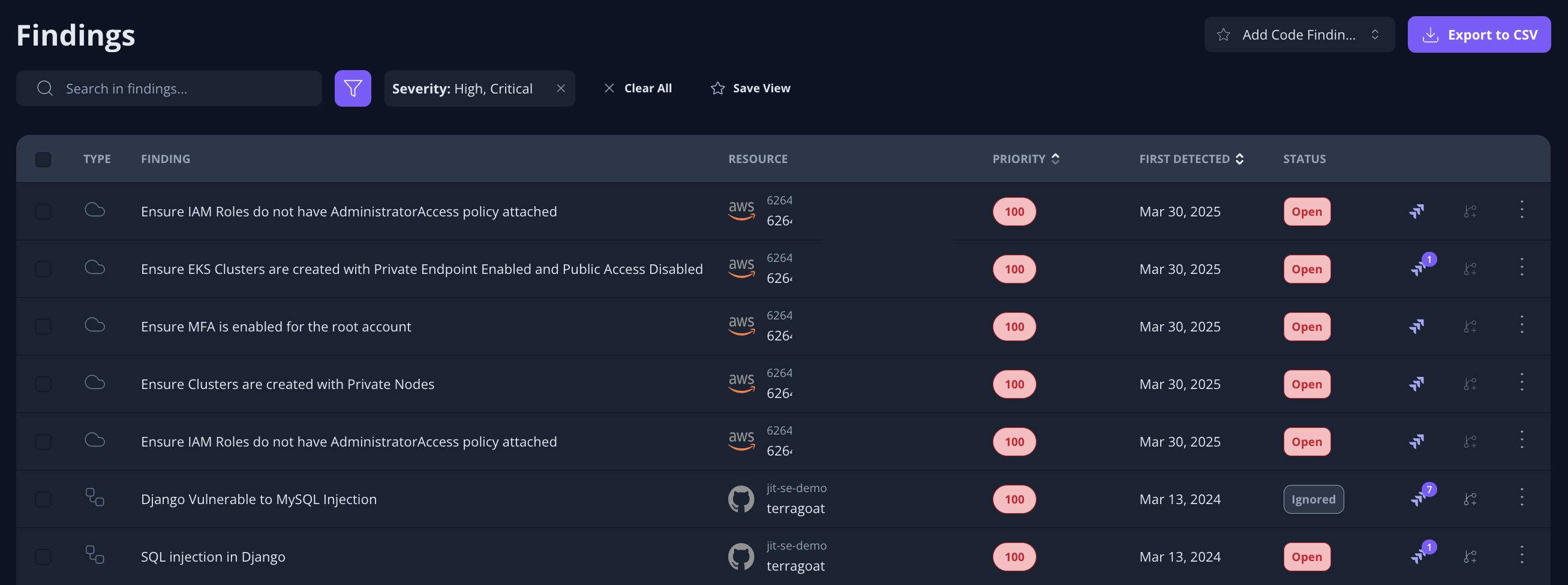
Example of the Findings page showing the search field, filters, and findings list.
Focus on what matters
Filters can be combined to create focused views, cleared with a single click, or saved for reuse. This allows you to move easily between different investigation workflows, for example, reviewing high-priority open findings or validating recently fixed issues.
Findings list
Each row in the table represents a single security finding and includes key details such as the affected resource, priority, detection date, and current status. From here, you can review findings, take action, or export the list for reporting.
Export and saved views
You can export findings to CSV for reporting or external analysis.
Saved views let you store commonly used filter combinations and return to them quickly. Saved views are personal per user, and you can mark one as your default so it’s automatically applied when you open the Findings page.
Reviewing a finding
Clicking a row in the Findings table opens the detailed view for a specific security finding. This view provides all the context needed to understand the risk, assess its impact, and decide on the appropriate next action.
Taking action on findings
From the Findings page or the detailed view of a finding, you can take several actions to manage and remediate issues:
- Open a ticket - Create a tracking issue in your issue management system.
- Ignore - Mark a finding as not relevant.
(If the same finding appears in multiple branches (for example, originating from the same commit), ignoring it in one branch will also ignore the matching occurrences in other branches.) - Open Fix PR - (When available) Launch a pull request with suggested fixes.
- Ask AI - Get guided remediation suggestions.
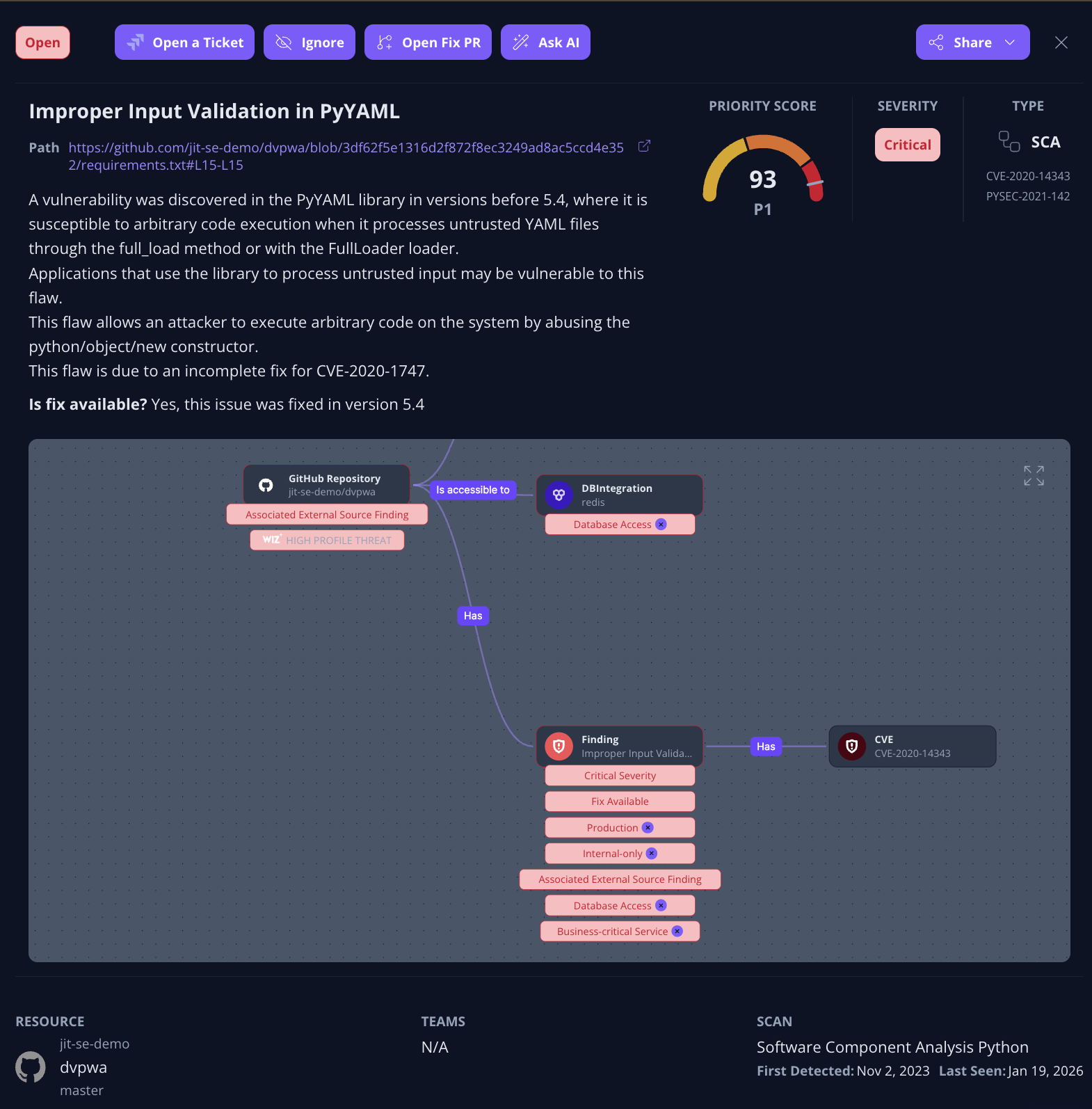
Actions available for managing and remediating a finding.
When to use each view
- Use the Findings list to search, filter, prioritize, and manage findings at scale.
- Open a finding details view when you need deeper context, remediation guidance, or want to take action on a specific issue.
Updated 7 months ago